


Photo album experiences for Google Photos
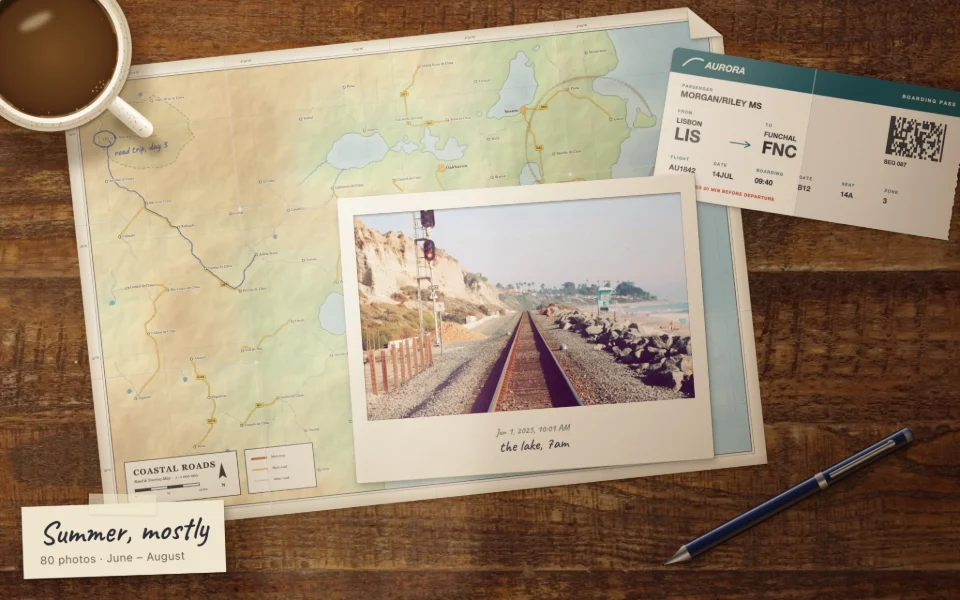
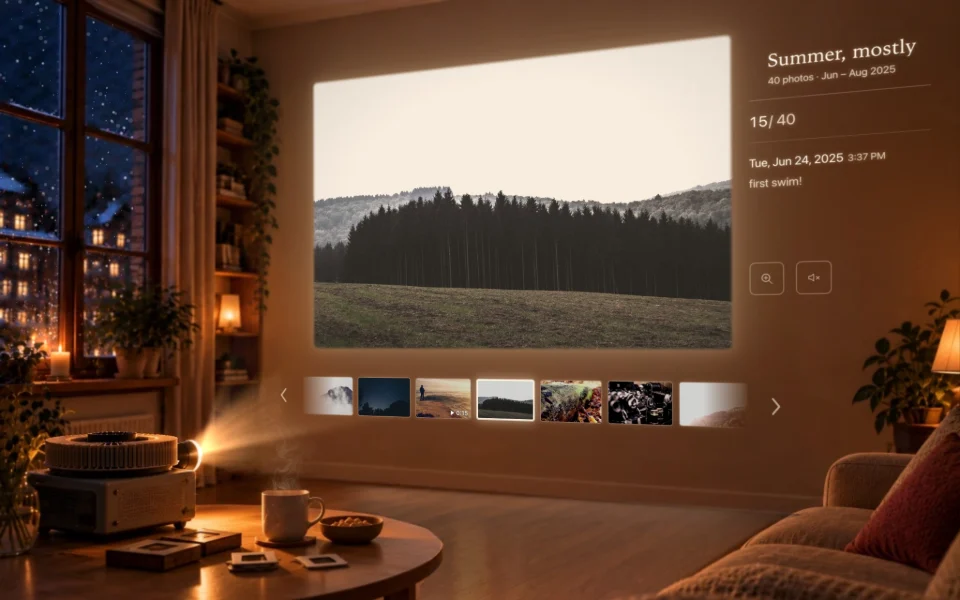
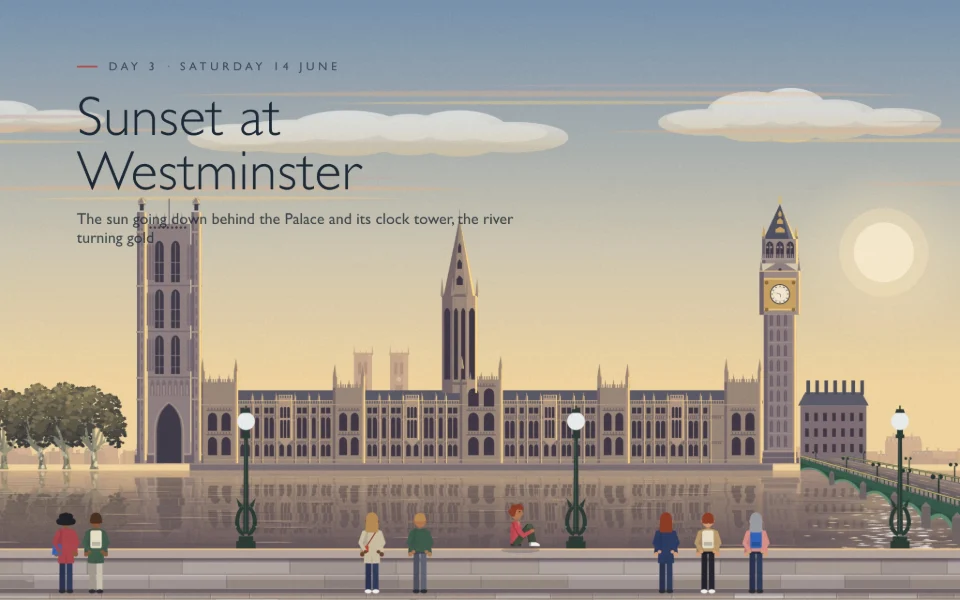
A table of prints, a slide projector, a cake to smash, a day in a city. Albumscope transforms your Google Photos albums to more immersive experiences, right where they are, and your photos stay on your computer.
- Free to install
- Nothing uploaded
- No sign-up
What it does
More than a grid of photos
Open an album in Google Photos, pick an experience, and your photos come into it one by one, right where the album is.
- Right over the albumIt opens in the same tab, on top of Google Photos. Close it and you’re back in the album.
- Big albums welcomePhotos are gathered as you go, so even an album of thousands opens in a moment.
- Videos play tooVideos play in their prints, and any photo opens in Google Photos’ own viewer for a closer look.
- It remembersEach album keeps the experience you picked, ready for next time.
The experiences
Pick how your album opens
A few of the many in the extension, from a quiet evening with old prints to a day in Paris. Every one works with any album, and you can switch whenever you like.









Your photos stay on your computer
Albumscope draws your album right in your browser. Nothing is uploaded, and there are no analytics. Read the privacy policy
How it works
From album to show in four steps
-
Add it to Chrome
Install Albumscope from the Chrome Web Store. It’s free.
-
Open an album
Go to Google Photos and open any album: one of yours, or one shared with you.
-
Click the print
A little print sits at the album’s top left, under the back arrow. Click it, or Albumscope’s button in the toolbar.
-
Pick an experience
Choose how it opens. Close it any time to go back to the album.
What is Albumscope?
Albumscope is a Chrome extension for Google Photos. It opens any album as an experience: a table of prints, a slide projector, a first-birthday cake to smash, or a day in a city. Your photos come into it one by one, right over the album, and you can close it any time to go back.
How do I open an album with it?
Open an album on photos.google.com and click the little print at its top left, under the back arrow, or Albumscope’s button in Chrome’s toolbar. Pick an experience, and the album opens in it. Next time, the album offers the one you picked first.
Is it free?
Yes. Albumscope is free to install, and every experience is free.
Which browsers does it work in?
Chrome on a computer: Mac, Windows, Linux or ChromeOS. Chrome on phones and tablets doesn’t run extensions, so it isn’t available there.
Does it upload my photos?
No. Your photos, videos, album titles and descriptions never leave your browser. We don’t have a copy, and there are no analytics. The privacy policy has the details.
Does it change anything in my albums?
No. Albumscope only reads the album you open. It never edits, moves, deletes or shares anything in your Google Photos.
Does it work with big albums and videos?
Yes. Photos are gathered as you go, so an album of thousands opens in a moment. Videos play in the experience too, and any photo can be opened in Google Photos’ own viewer for a closer look.
Does it work with albums shared with me?
Yes. Any album you can open in Google Photos, yours or one someone shared with you (by invitation or by link), opens in Albumscope the same way.
How do I remove it?
Right-click Albumscope’s button in Chrome’s toolbar and choose Remove from Chrome, or go to chrome://extensions and click Remove on Albumscope.
I don’t see the print on my album.
The print shows on album pages only, at the album’s top left, under the back arrow. It steps aside while a Google Photos dialog such as Share is open, and while you edit the album or select photos. Reloading the page usually brings it back, and Albumscope’s button in the toolbar always works. Still stuck? Tell us.
Is Albumscope made by Google?
No. Albumscope is an independent extension for Google Photos, and isn’t affiliated with Google.